 Funny 3D minigolf game
Puttopia
Funny 3D minigolf: windmills, loops, portals and cheering gummy bears.
Puttopia is a silly 3D minigolf game in your browser: 27 holes on three themed courses — Candy Land, Pirate Cove and Space Station — with windmills, a hungry clown, loop-de-loops, portals, conveyor belts, rafts, moving cannons and water that splashes. Up to six players take turns on one device or play online with friends on their own devices, a computer caddie can join, and your best round comes back as a ghost. Build your own holes in the editor, share them as a link, and play with the keyboard, a screen reader or a high-contrast view.
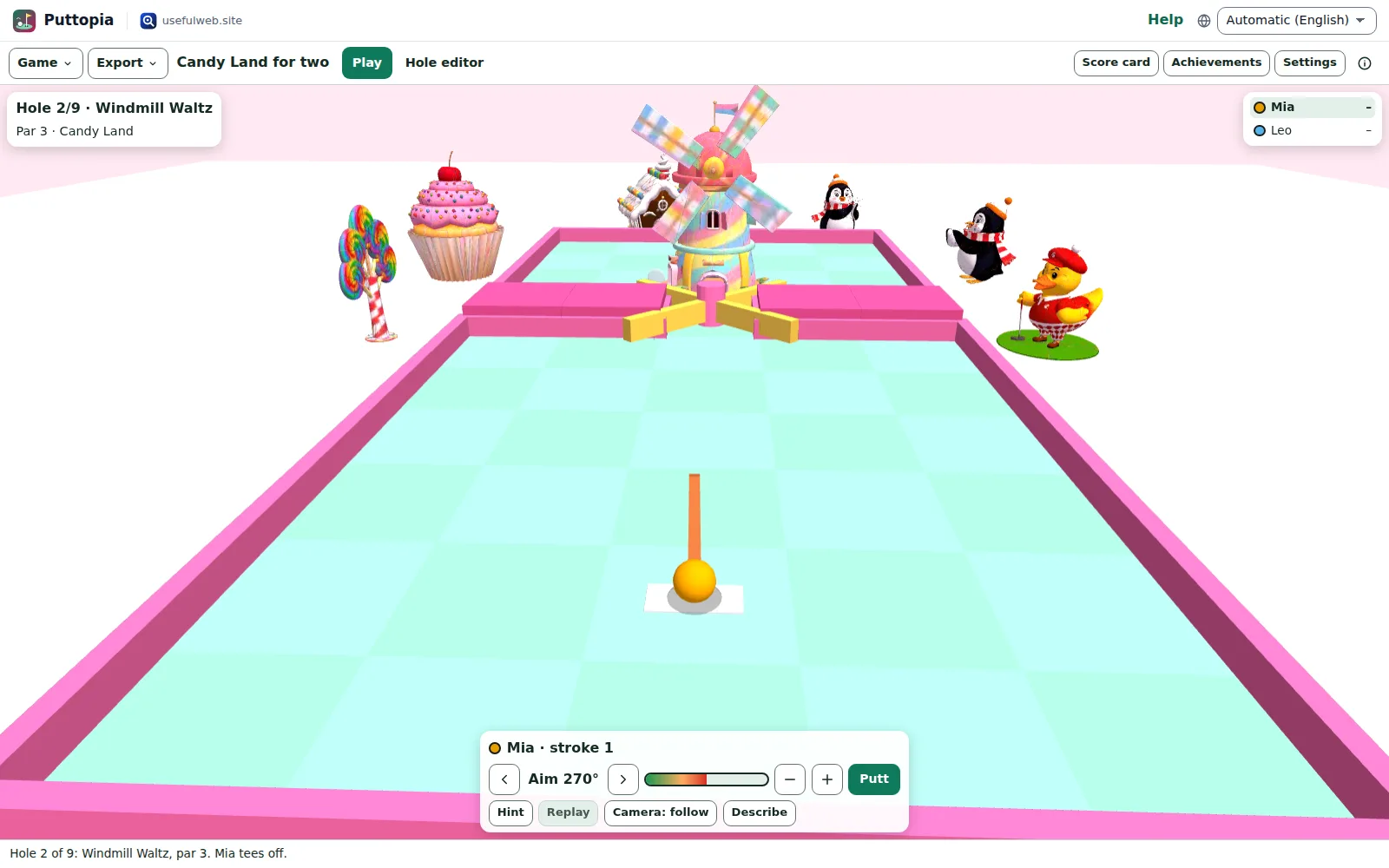
Screenshots
Features
27 holes on three courses
Candy Land, Pirate Cove and Space Station, nine holes each, with par, a score card and a funny one-liner on every hole.
Silly obstacles
Windmills, a clown mouth, skull rock, loop-de-loops, portals, bumpers, conveyor belts, slopes, ice, sand, bridges, rafts and moving cannons and UFOs.
Exact, fair physics
Every putt runs on a fixed-step simulation, so the same putt always rolls the same way — replays and ghosts are exact, not recordings.
Aim by drag or keyboard
Pull back from the ball like a slingshot, or use the arrow keys to aim, hold Space for power and press Enter to putt.
Up to six players, also online
Hot-seat play on one device, or an online room with an invite link, spectators, a shot clock and quick chat — every putt rolls the same on every screen. Plus a computer caddie on easy, normal or hard.
Camera your way
Follow the ball, orbit and zoom, or switch to a top view. With reduced motion the camera never swings.
Replays and a ghost
Watch your last putt again, and race the ghost ball of your best round on every course.
A cheering audience
Gummy bears, parrots, astronauts and a rubber duck react to every putt, and a ghostwriter of bad jokes comments on your score.
Hole editor
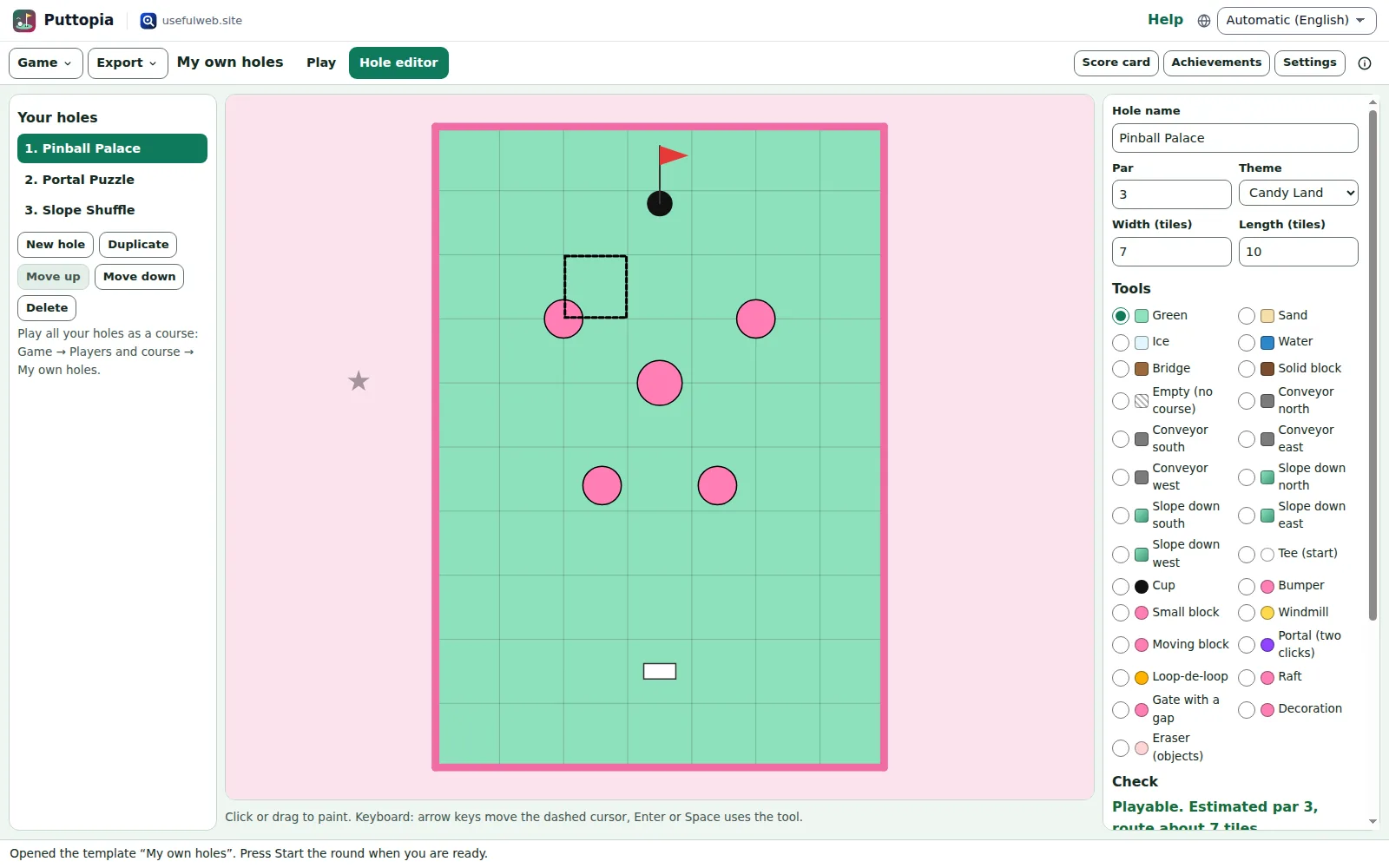
Paint tiles on a grid, place bumpers, windmills, portals, loops, rafts and decorations, check that the hole can be played and test it at once.
Share your holes
Send your course as a link, save it as a file or to Google Drive, or keep it in a shared workspace for the family or the class.
Achievements and trophies
Sixteen achievements from Ace! to Never give up, and a podium with trophies — and a wooden spoon — at the end of each round.
Home-made sound
Putts, bounces, boings, splashes and cheers are synthesised in the browser — no sound files, and one switch turns them off.
Play without seeing the course
A screen reader hears the distance and direction to the cup, the obstacles ahead and every stroke; a high-contrast view and an aiming line help too.
Runs on phones
Touch aiming, a low-quality switch for older phones, and a flat top-down view when the device has no 3D graphics.


Templates
Start from a ready-made project and change it to fit.
Candy Land for two
Two players on Candy Land: a windmill, a hungry clown, a caramel conveyor and a river of chocolate.
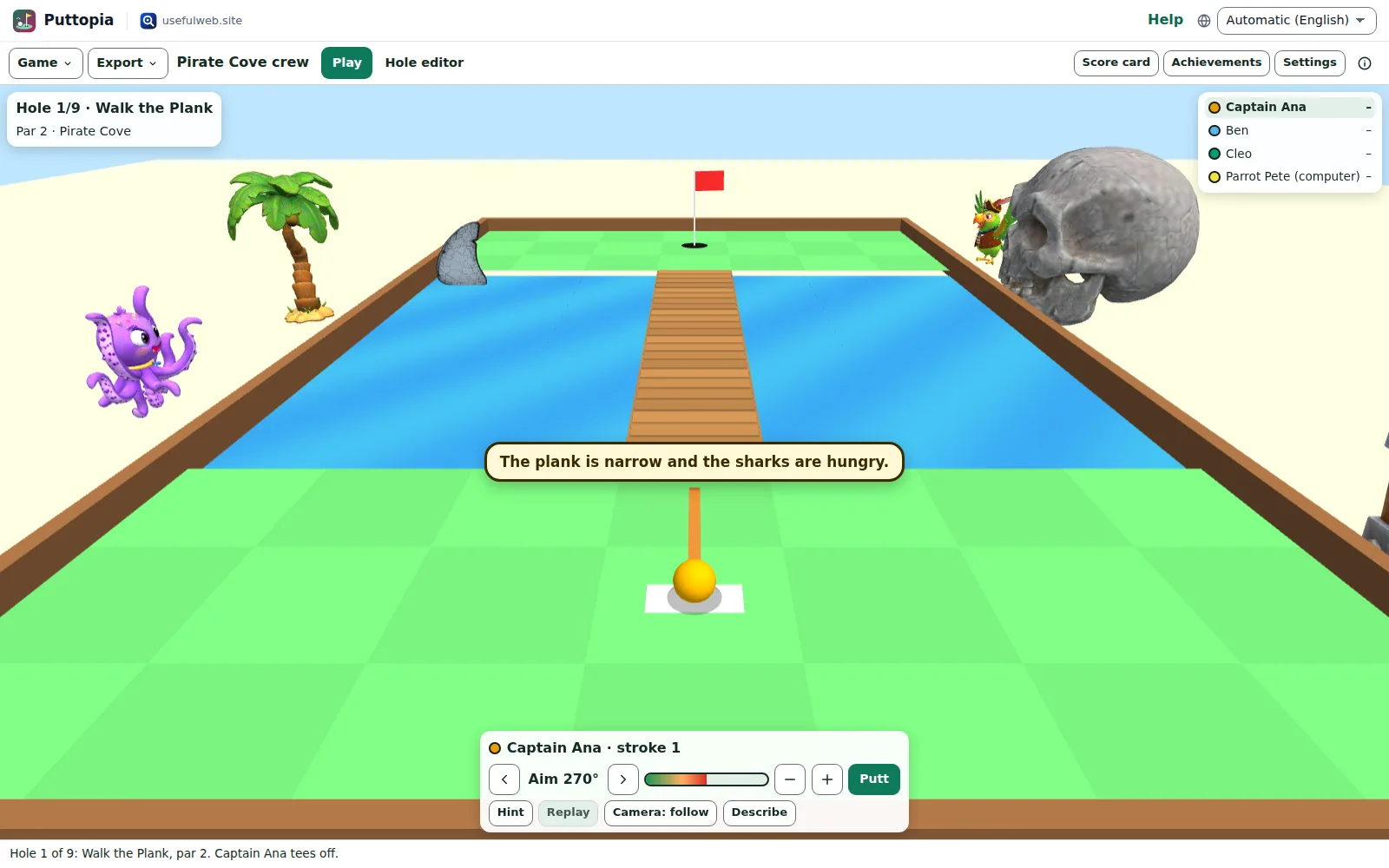
Pirate Cove crew
Four pirates — one of them the computer parrot — on planks over shark water, rolling cannons, rafts and a whirlpool.
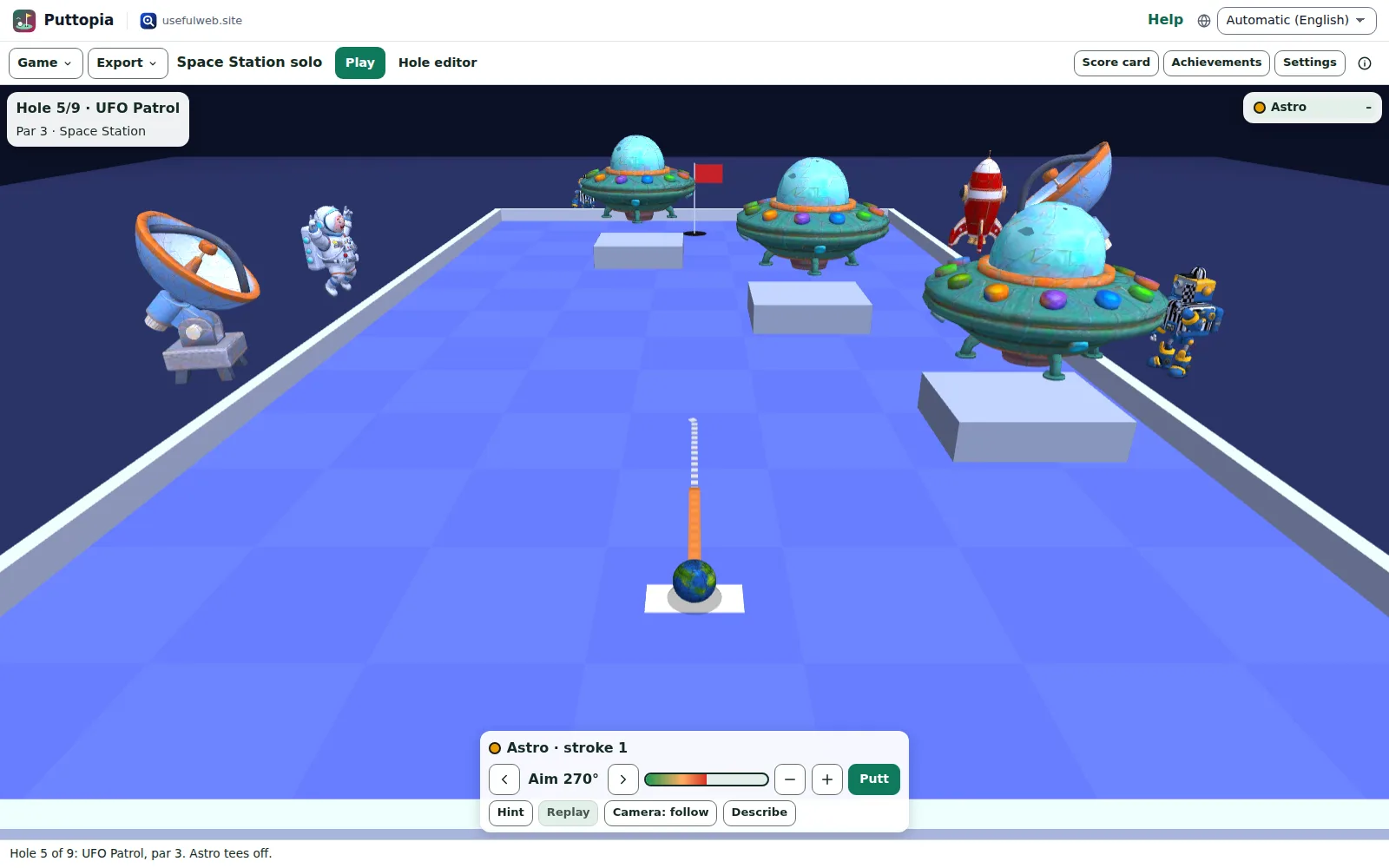
Space Station solo
One astronaut with the full aiming line on ice, asteroid bumpers, wormholes, UFOs and a gravity well.
Party night for six
Six players with six colour-blind-safe ball colours on Candy Land. Pass the device around.
My own holes
Three holes made with the hole editor — Pinball Palace, Portal Puzzle and Slope Shuffle — to play or remix.
Me against the caddie
You against the computer caddie on its hard level on Space Station. Good luck.
Built-in tools
Puttopia uses these tools. Each one also has its own page and works on its own, in the browser, through the JSON API and through MCP.
- Minigolf Shot Simulator Puttopia engineSimulate one putt on a Puttopia hole: path, bounces, portals, water and whether it drops.
- Minigolf Hole Checker Puttopia engineCheck a minigolf hole: playable, estimated par and how many putts a perfect caddie needs.
- Wheel Spinner with Weights Puttopia engineSpin a wheel with weighted segments — exact odds, provable result.
For AI agents
Puttopia runs on a deterministic engine. The same functions are available as tools with a JSON API and MCP, so scripts and AI agents get exactly the results the app shows.
- Minigolf Shot Simulator – Simulate one putt on a Puttopia hole: path, bounces, portals, water and whether it drops.
Tool page ·POST https://puttopia.usefulweb.site/api/v1/tools/puttopia-shot-simulator/calculate· MCPputtopia_shot_simulator - Minigolf Hole Checker – Check a minigolf hole: playable, estimated par and how many putts a perfect caddie needs.
Tool page ·POST https://puttopia.usefulweb.site/api/v1/tools/puttopia-hole-check/calculate· MCPputtopia_hole_check - Wheel Spinner with Weights – Spin a wheel with weighted segments — exact odds, provable result.
Tool page ·POST https://puttopia.usefulweb.site/api/v1/tools/fieldday-wheel-spinner/calculate· MCPfieldday_wheel_spinner
- MCP endpoint (Streamable HTTP):
https://puttopia.usefulweb.site/mcp - Project file format (JSON Schema): https://puttopia.usefulweb.site/project.schema.json
- OpenAPI description: /openapi.json · llms.txt · API & MCP
Build a project through the API, then open it in the app with a link to https://puttopia.usefulweb.site/app#project=<base64url JSON>.
Import & export
Import
- Puttopia game (.puttopia.json)
- Game link (#project=)
- Single hole (.json from the editor)
Export
- Puttopia game (.puttopia.json)
- Game link (#project=)
- Score card (CSV)
- Hole top view (SVG)
- Single hole (.json)
Keyboard shortcuts
| Keys | Action |
|---|---|
| Left / Right | Aim (with Shift: in fine steps) |
| Space | Hold to build up power, release to stop the meter |
| Enter | Putt |
| Up / Down | Set the power in steps without the meter |
| H | Ask the caddie for a hint |
| D | Describe the hole: distance, direction and obstacles (screen readers) |
| R | Replay the last putt |
| C | Switch the camera: follow, overview, top view |
| Q / E | Orbit the camera |
| + / - | Zoom |
| S | Show the score card |
| Ctrl + S | Save game file |
| ? | Show keyboard shortcuts (single-key shortcuts can be switched off there) |
Frequently asked questions
Do I need to install anything or sign up?
No. Puttopia runs in the browser and keeps games, scores and your own holes in this browser’s storage. Sign in only if you want to keep a course in a shared workspace or in Google Drive.
How do I play with the keyboard?
Left and Right aim, holding Space fills the power meter (release it to stop), Enter putts. H asks the caddie for a hint, D describes the hole for screen readers, C switches the camera, R replays the last putt and S shows the score card.
Can I play online with friends far away?
Yes. Press Play online, create a room and send the invite link or the room code. Up to six players join on their own devices, more people can watch, and every putt rolls the same on every screen. Choose taking turns or everyone at once (the other balls are ghosts), a shot clock, and whether a computer player stands in when someone loses the connection.
What does the server see when I play online?
Only the name you chose for the room and your putts — aim, power and timing — which it rolls again with the same physics to check them. Rooms live in the server’s working memory only: nothing is written to a database or a log, quick chat and reactions are passed on and forgotten, and a room ends two hours after the last action or when the server restarts. Details are on the privacy page.
Why does the same putt always roll the same way?
Puttopia simulates every putt with fixed time steps and plain arithmetic, so the result only depends on where you aim, how hard you hit and when you hit (the windmills keep turning). That makes replays and the ghost of your best round exact.
Can our club or family share a course?
Yes. Sign in with a passkey or Google, then choose Game → Save to workspace. Members of the workspace can play and edit the course and your own holes, viewers can only look, and changes arrive live. Comments can point at a single hole.
Where do the 3D characters come from?
The audience, the windmill, the clown, the ships, rockets, trophies and other models were generated for Puttopia with Meshy, an AI 3D generator, and slimmed down to load quickly. The courses themselves are built from tiles by the game.
My device has no 3D graphics. Can I still play?
Yes. When WebGL is not available, Puttopia says so and switches to a flat top-down view with the same physics, scores and editor.
Limitations
What Puttopia does not do (yet):
- Online rooms live in the server’s memory: a server restart ends the round, and a seat is kept for two minutes after the connection drops. Online rounds have no hints, replays, ghosts or achievements.
- The physics is a playful game model — no spin, no air time except in loops, and balls never touch each other (when everyone putts at once online, the other balls are ghosts).
- Slopes are shown as gentle tilts; the course is otherwise flat, so there are no jumps or real bridges over other lanes.
- Custom holes are at most 30 × 30 tiles with 48 objects, and a course holds up to 18 of them.
- The 3D models are simple AI-generated decorations; collisions use simple shapes, not the models.
- Ghosts replay the best round of one player per course on this device or project.
Tutorials
Learn Puttopia step by step.
- Your first round of PuttopiaOpen a template, start a round on Candy Land and sink your first putt with the mouse, a finger or the keyboard — the basics of Puttopia in five minutes.Beginner 5 min
- Aiming, power and the caddieLine up putts with the aiming line, find the right power, ask the caddie for a hint, replay your last putt and let Puttopia describe the hole for you.Beginner 6 min
- Three courses and their crazy obstaclesCandy Land, Pirate Cove and Space Station: windmills, loops, conveyor belts, rafts, portals, slopes, sand, ice and water, and how each of them plays.Beginner 7 min
- Players, scores and achievementsPlay with up to six people on one device or against the computer, spin for the order of play, read the score card and collect trophies and achievements.Beginner 6 min
- Build your own holes in the hole editorPaint tiles, place the tee, the cup, bumpers, windmills, portals and loops, check that a hole is playable, test it and turn your holes into a course.Intermediate 8 min
- Save, share and play togetherKeep games in this browser, save files, send game links, export score cards and hole pictures, and share courses in a workspace or on Google Drive.Intermediate 5 min
- Settings, accessibility and older devicesAdjust aiming help and the stroke limit, switch on high contrast, calm mode or the flat top view, turn sounds off and help older phones run smoothly.Beginner 4 min
- Play online with friendsOpen an online room, send the invite link or room code, play a round together on your own devices, watch as a spectator and cheer with quick chat and reactions.Beginner 6 min
Ready to try it?
Other apps
-

Twinworks
Factory digital twin & production simulation
Model a production line, simulate it and find the bottleneck — free, in your browser.
-

Learning Shorts
Animated explainer video studio
Turn an idea into a narrated, animated short video with presenters, props and captions.
-

Chainscope
Web3 investigation desk
Investigate transactions, bridges, contracts, DAOs and wallets in one case file.
-

RavingDesk
Paper trading & data workspace
Practise trading on paper and chart your data: orders, risk, datasets, analyses, reports.
-

Lumina
Photo editor & image toolkit
Bring out what you saw. A free photo studio, right in your browser.
-

Ledgerly
Household finance & life-admin desk
Budgets, bills, subscriptions, loans, contracts and deadlines on one private desk.
-

Ohmforge
Virtual electronics workbench
Draw a circuit, switch it on, and measure it with real-feeling bench instruments.
-

Hearth
Home & travel planner
Plan meals, chores, home care, moves, trips and good days for your household in one place.
-

Flipline
Drawing, storyboards & animation
A few drawings. A little life. Make a flipbook in your browser.
-

Soundscape Atlas
Sound map & ambience studio
Find real field recordings on a world map and mix them into calm, editable soundscapes.
-

Playcards
Card games table
46 card games from Skat and Jass to Scopa and Daifugō, vs the computer, at home or online.
-

Proofline
Math notebook
Solve, graph, test and visualise in one notebook — with data, findings and a report.
-

Signalhouse
Website & internet infrastructure inspector
Inspect DNS, TLS, mail, CDN and routing of all your domains — and see what changed.
-

Kerfwise
Cabinet & furniture CAD
Design cabinets and furniture, get cut lists, optimised sheet layouts, costs and drawings.
-

Opsdeck
Developer & ops workbench
One deck for CI failures, cron, traces, k8s events, API diffs, query plans and Terraform.
-

ObscurIQ
OSINT case desk
Organize public-source research: cases, a research log, pivots and indicators.
-

Reelcraft
Audio, video & image batch studio
Audio, video & image batch studio: cut, convert, compress, subtitle, reframe
-

Paperwell
Document studio: PDFs, OCR, redaction, forms & contract reading
Your paperwork in one dossier: PDF tools, OCR, redaction, forms and contract reading.
-

Renderloom
3D scene & material studio
Shape a scene. Find its light. Keep every idea editable.
-

Keysmith
Crypto & secrets lab
Audit certificates, keys, TLS and passwords in one lab; secrets stay on your device.
-

Fieldday
Sports club & training organiser
Fixtures, brackets, ratings and training plans for your club — in one workspace.
-

Threadsmith
Embroidery digitizing studio
Draw or import artwork, turn it into stitches, export DST, PES, JEF or EXP files.
-

Provenance
Software supply-chain security desk
SBOMs, CVEs, containers and licences in one risk register — free, in your browser.
-

Agentlab
AI-agent & LLM workbench
Test an AI agent before release: permissions, traces, costs, citations and output checks.
-

Tonegrid
Tone matrix & beat sequencer
Light up squares to build melodies, beats and acid bass, then arrange them into songs.
-

Pageboard
Website inspiration boards
Collect website references, sort them with tags and arrange them on a moodboard.
-

Printshop
Printables studio
QR codes, calendars, labels, puzzles and posters — print-perfect PDFs in seconds.
-

Kinetica
Robot motion studio
Simulate robot arms in your browser: kinematics, trajectories, collisions, program export.
-

Bundlekeep
Local project backup
Back up projects from every usefulweb app into one file, check it and restore any part.
-

Panelcraft
Comic books & figure references
Shape a page. Arrange a book. Give your story a voice.
-

Focus Room
Ambience player & focus timer
A calm room for your screen: ambience, slow visuals, focus timers, clocks and big signs.
-

Skyfold
Sky & space atlas
See the sky of any place and moment, plan eclipses and satellite passes, print star maps.
-

Cartograph
Map posters, route art & atlas
Map prints, GPS-art routes, fair meeting points, true sizes, flags and country quizzes.
-

Deckwright
Slide deck studio
Write Markdown, get an accessible slide deck — charts, diagrams, PDF, HTML and PowerPoint.
-

Sizewise
Scale & big-number visualiser
Make sizes, amounts and big numbers feel real: to-scale lineups, fit counts and stacks.
-

Wikinest
Knowledge base and team wiki
A team wiki: spaces, page trees, versions, comments and permissions per space.
-

Laneboard
Kanban boards
Kanban boards in your browser: lists, cards, checklists, due dates and flow charts.
-

Trackwell
Issue tracker
Issue tracking with workflows, sprints, SLAs and team roles, in your browser.
-

Timeslice
Time tracker & timesheets
Track time on your own tasks, see where it went in charts and share a read-only report.
-

Greenplot
Garden planner & manager
Plan your garden to scale, sow on time, log every harvest and share the plot.
-

Sketchboard
Diagrams, sketches and plans
Draw diagrams, flowcharts, mind maps and floor plans on an endless board.
-

Codeharbor
Coding IDE
A coding IDE in your browser: edit, preview and run web projects safely, then share them.
-

GISela
Browser GIS
A GIS in your browser: layers, attribute tables, styling, analysis and print layouts.
-

Rapport
CRM
A CRM for contacts, companies, deals and quotes — local-first, shared with your team.
-

Pocketlab
Phone sensor instruments & measurement log
Your phone as 14 pocket instruments, with a measurement log you can export and share.