Tutorial 5 of 8
Build your own holes in the hole editor
Intermediate 8 min
Paint tiles, place the tee, the cup, bumpers, windmills, portals and loops, check that a hole is playable, test it and turn your holes into a course.
The Hole editor tab turns you into a course designer. The template My own holes has three examples to play or remix: Pinball Palace, Portal Puzzle and Slope Shuffle.
The editor at a glance
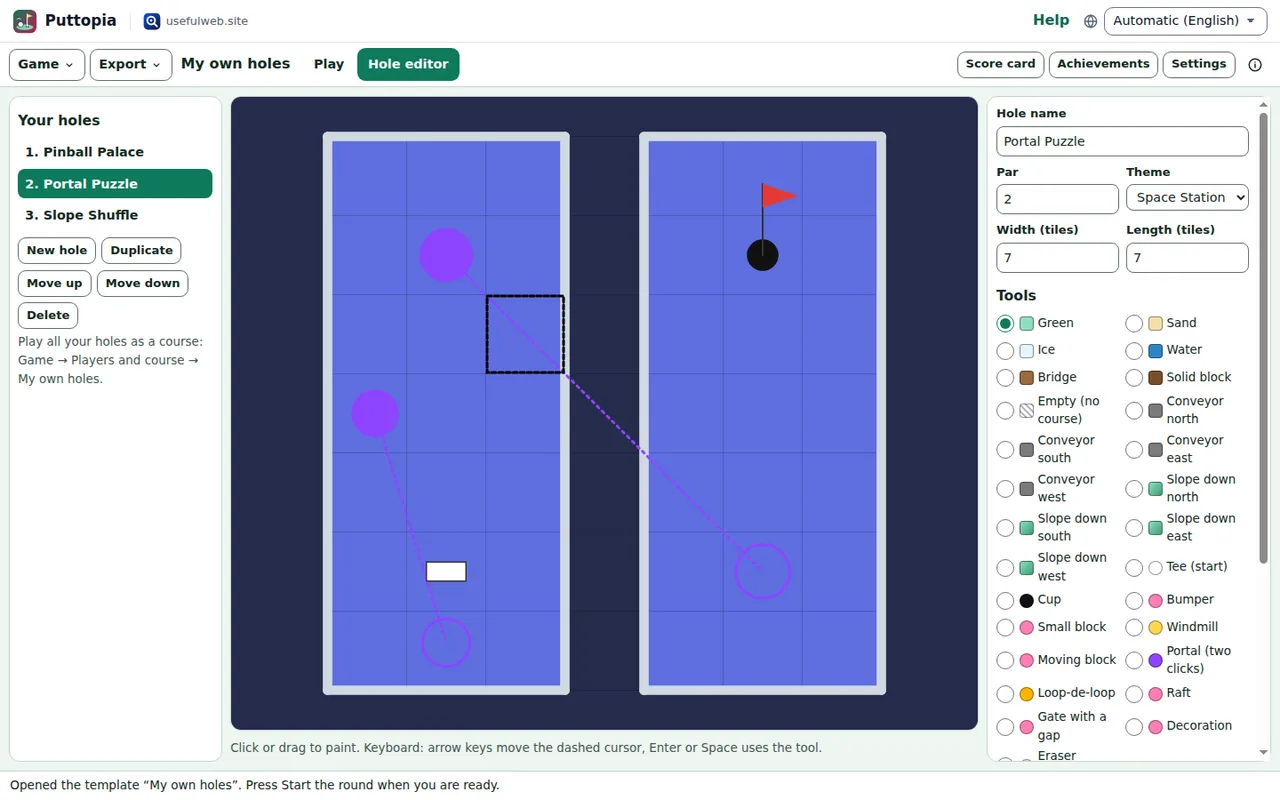
On the left you see your holes. New hole adds one (up to 18), Duplicate, Move up, Move down and Delete manage the list. In the middle is the grid, on the right the hole's name, par, theme and size, the tools, the check and the list of objects.
Paint tiles
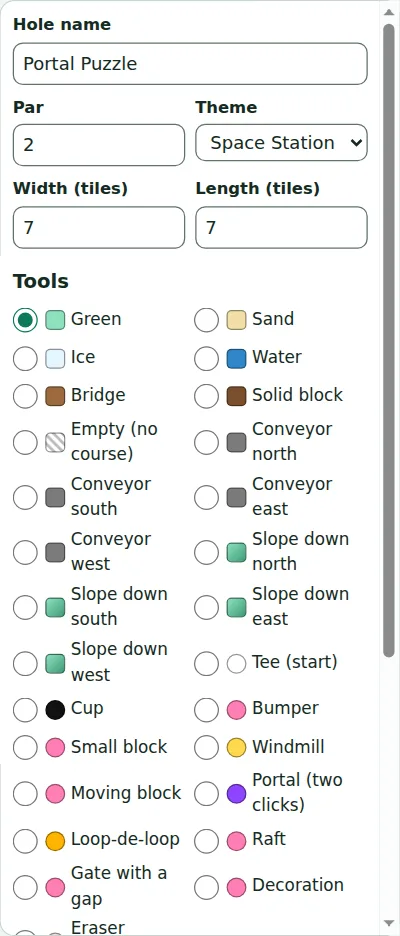
Choose a tile tool — green, sand, ice, water, bridge, solid block, empty, conveyor belts in four directions or slopes in four directions — and click or drag over the grid. Each tile is one unit, about a metre on a real course. Holes can be up to 30 × 30 tiles.
Place the tee, the cup and objects
Tee (start) and Cup move the start and the hole. Objects go on the tile you click:
- Bumper: a round kicker that bounces the ball back faster.
- Small block and Moving block: walls in the way, the second one slides back and forth.
- Windmill: turning sails.
- Portal: click the entrance, then the exit.
- Loop-de-loop: choose its direction first; it needs speed.
- Raft: floats across water.
- Gate with a gap: a wall across the whole hole with one opening.
- Decoration: any of the 3D models — a flamingo, a cannon, a UFO — just for fun.
Eraser (objects) removes the objects on a tile; the Objects list removes them one by one.
Without a mouse
Click the grid or move there with Tab. The arrow keys move a dashed cursor, and Enter or Space uses the chosen tool on that tile. Every move announces the tile under the cursor (for example Column 3, row 5: Water).
Check and test-play
The Check section updates after every change: Playable or Not playable yet, with the reasons (the cup is not on the floor, no way from the tee to the cup, a portal ends in the water) and the estimated par. Use par 3 takes over the estimate.
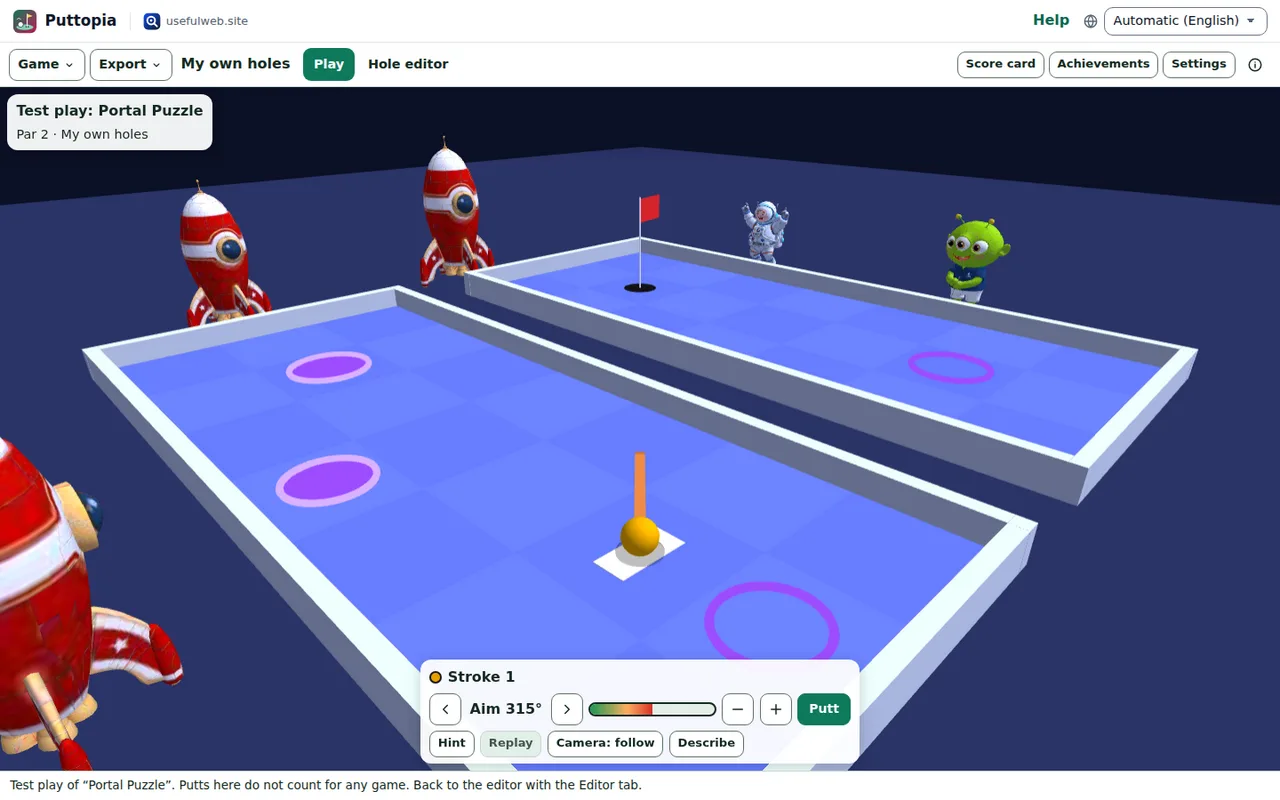
Test play opens the hole in 3D right away. Test putts don't count for any game. Go back with the Hole editor tab.
Play your holes as a course
In Game → Players and course… the course My own holes appears as soon as you have one hole. Ctrl + Z undoes editor changes. Download hole saves a single hole as a file; Game → Open file… adds such a file to your holes again. The Minigolf Hole Checker checks the same file online and lets the caddie play it.
Ready to try it?